AirMason + Workday: Enterprise HCM Meets Handbook Expertise
Workday runs your core HR, payroll, and talent operations. AirMason handles the employee handbook that ties your policies together into one living, compliant document your workforce actually reads. Please keep in mind requirements may vary based on company size, industry, location, and workforce composition.






What Workday Does Well
Workday is one of the most widely adopted enterprise Human Capital Management (HCM) platforms in the world. It serves large organizations across every industry, providing a unified system for HR, finance, and planning. Workday delivers cloud-native applications for payroll processing, benefits administration, recruiting, talent management, workforce planning, and financial management through a single SaaS platform.
For organizations with thousands of employees across multiple countries, Workday brings all of that complexity under one roof. Its Integration Cloud connects to hundreds of third-party systems, and its Prism Analytics engine lets HR leaders merge HCM, CRM, and financial data in real-time dashboards without a separate BI tool.
What Workday does not do is build, manage, or maintain employee handbooks. Workday Docs can store and route documents for e-signature, but it was not designed for creating or updating policy content. There is no handbook builder, no compliance monitoring for policy language, and no way to turn your HR policies into a branded, interactive document that employees can access on any device.
What AirMason Adds to the Stack
AirMason focuses on the one thing HRIS platforms were never built to handle: creating, distributing, and maintaining employee handbooks that are legally compliant, beautifully designed, and actually read by your workforce.
For Workday customers, this means your HR team can stop managing handbook content in Word documents, PDFs, or SharePoint folders. Instead, AirMason provides a purpose-built platform that turns your policies into a living digital handbook, synced with your HRIS employee data and kept current with federal, state, and local regulatory changes.
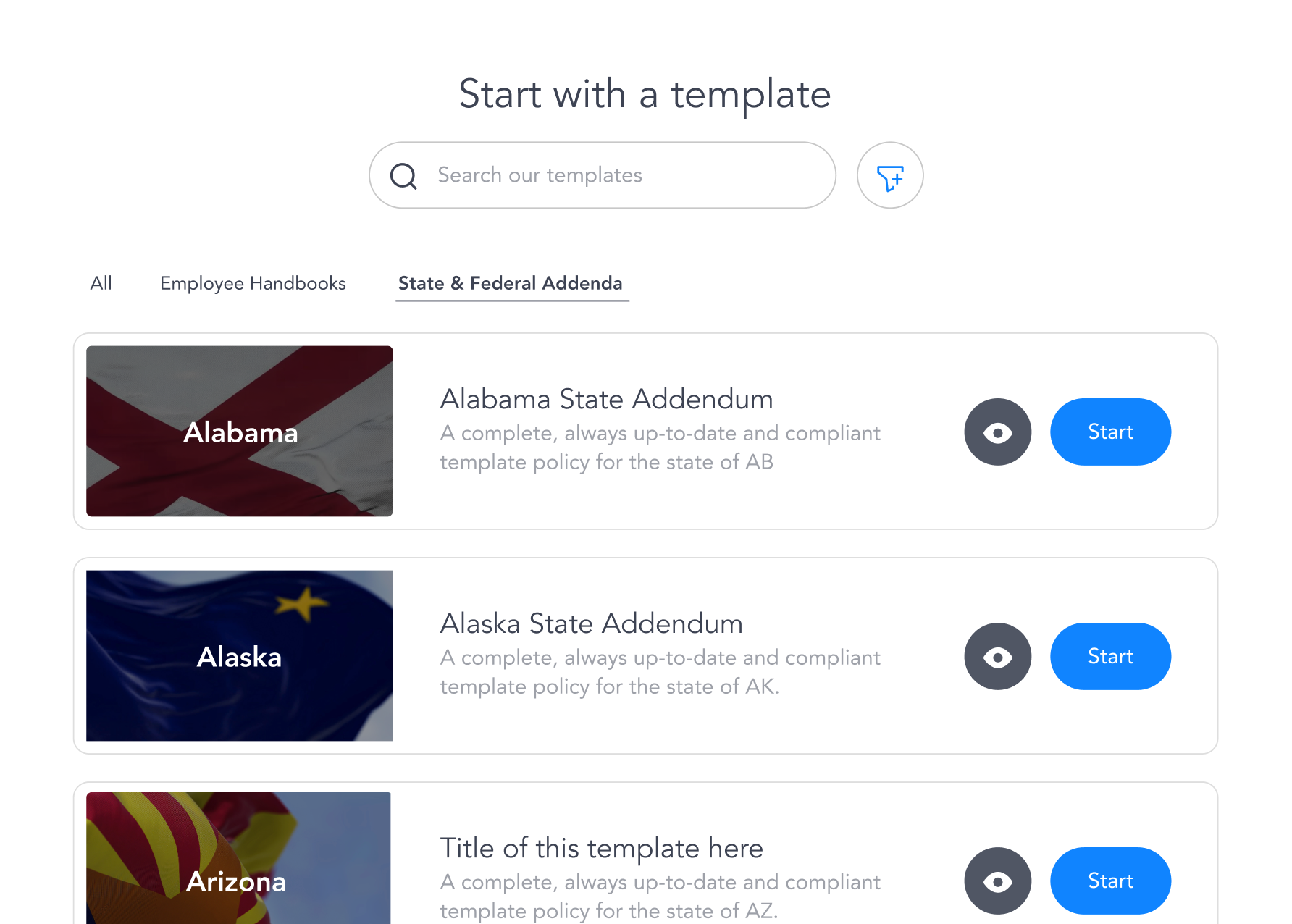
Expert-Curated Policy Templates
Start from legally reviewed, state-specific templates covering everything from anti-harassment to remote work policies. Updated as laws change, not once a year.
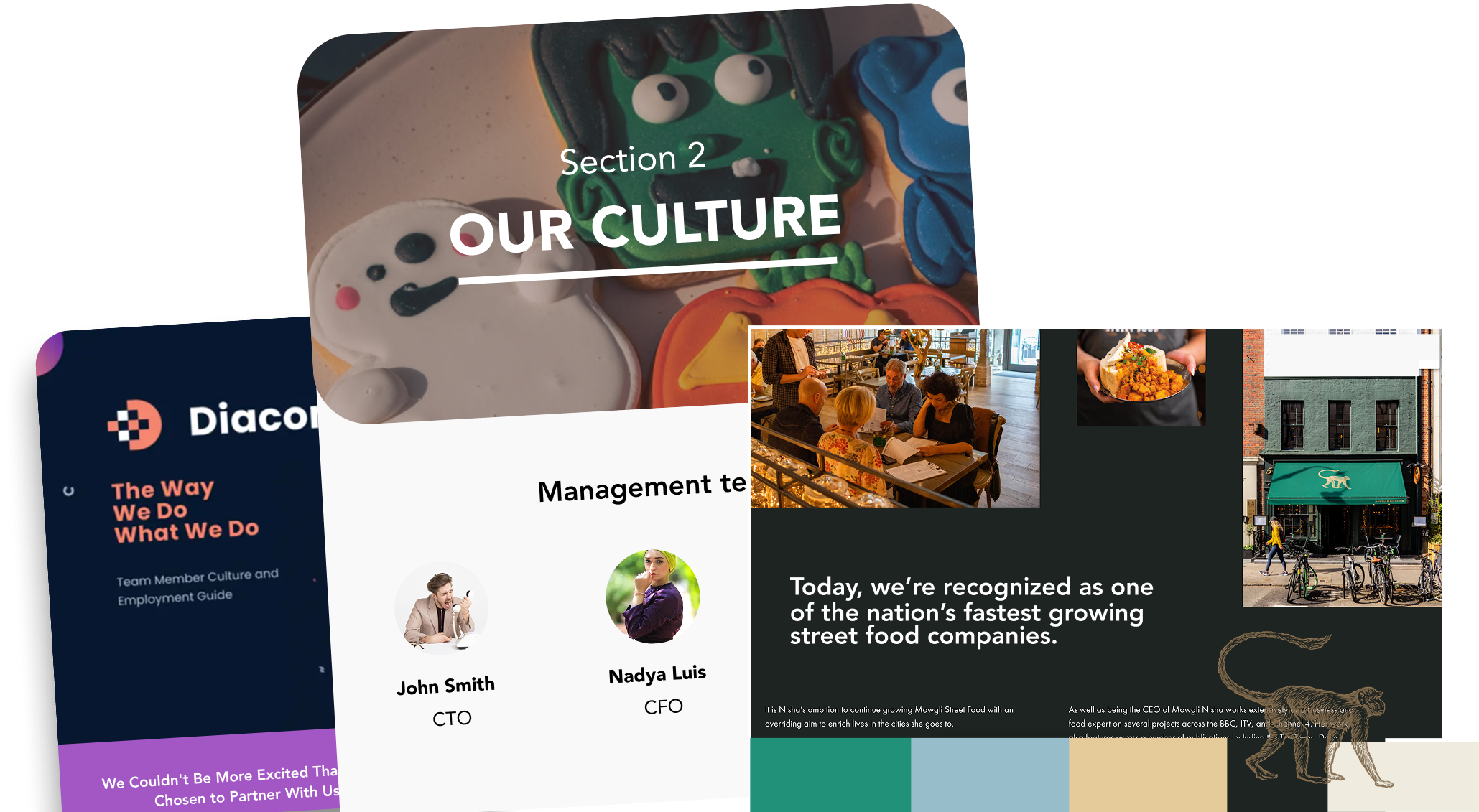
Branded, Interactive Handbooks
Your handbook reflects your brand with custom design, interactive navigation, embedded video, and mobile-optimized reading. Employees get a handbook they want to open.
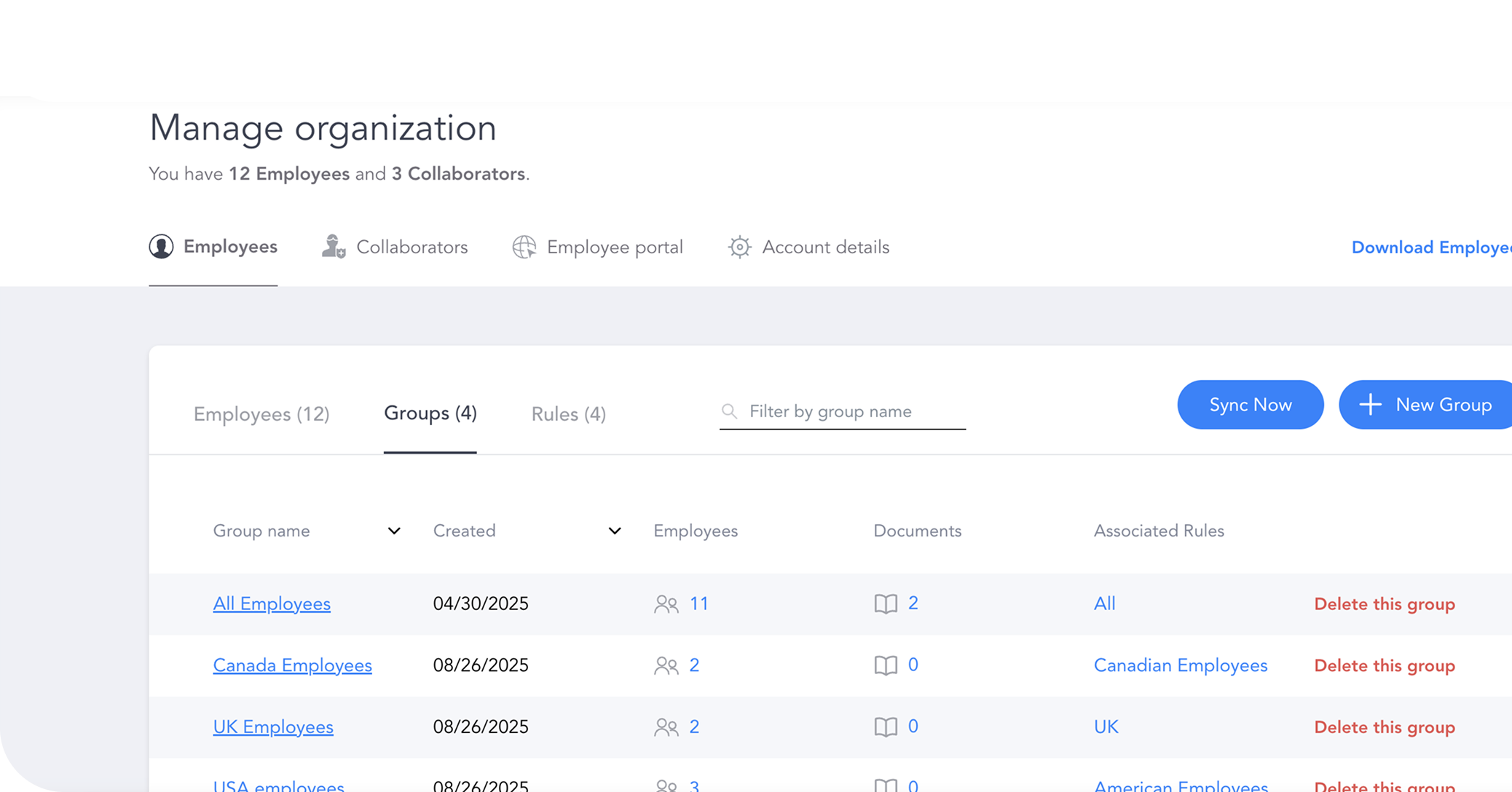
E-Signature and Acknowledgment Tracking
Track exactly who has read and signed each policy version. Generate audit-ready reports without digging through email chains or filing cabinets.
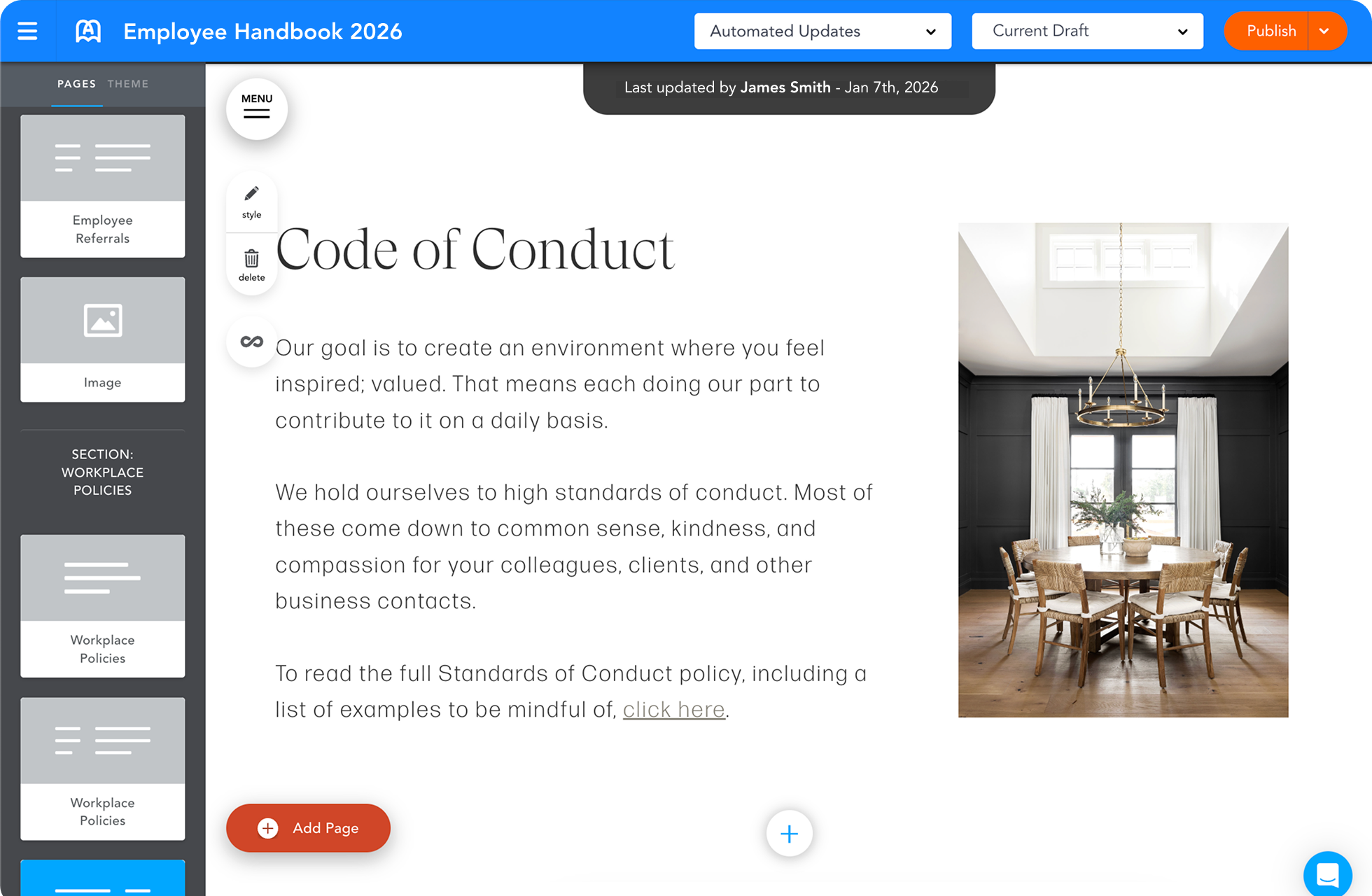
Automated Compliance Monitoring
AirMason flags when federal, state, or local regulations change and shows you exactly which policies need updating. No more annual legal review surprises.
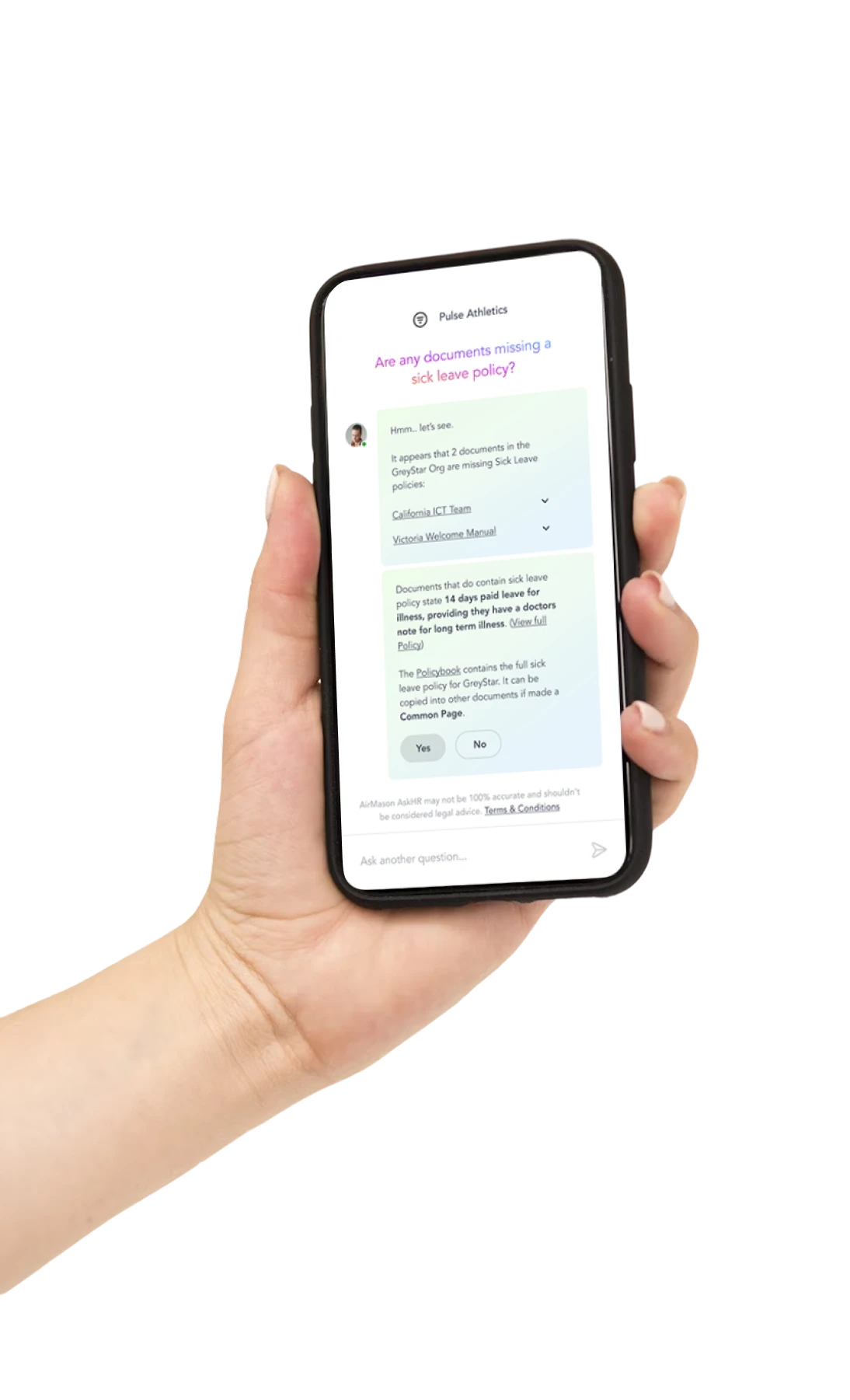
AI HR Assistant (AirAssist)
Employees get instant, accurate answers to policy questions drawn directly from your handbook. HR teams spend less time on repetitive inquiries.
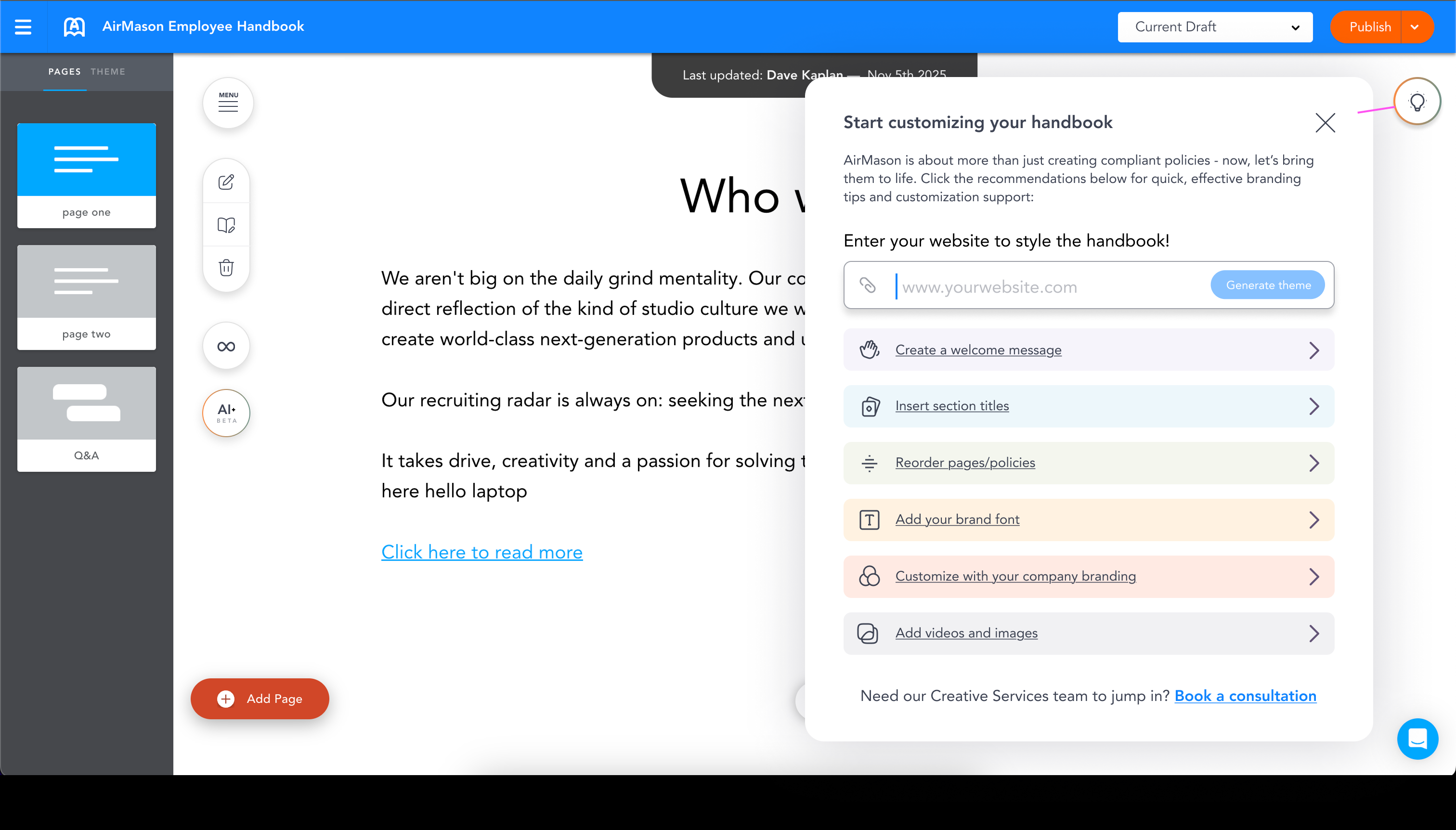
Edit Live. Brand Instantly.
Unlike competitors that hand you a static PDF, AirMason gives you a full visual editor. Rearrange pages, edit content, embed videos, and add interactive elements, all in real time. Enter your company website and our AI-powered branding tool automatically pulls your colors, fonts, and logo.
How AirMason Integrates with Workday
AirMason connects with Workday to sync employee data, streamline onboarding, and keep handbook distribution running on autopilot. When a new hire is added in Workday, AirMason can automatically send them the correct handbook version based on their location, department, or role, then track their acknowledgment back to their employee record.
The integration supports multiple connection methods depending on your Workday configuration and security requirements. Whether your team prefers Workday's Integration Cloud, REST APIs, or SFTP-based data transfers, AirMason's integration team handles the setup and testing at no additional cost.
- ✓Automatic employee sync from Workday to AirMason
- ✓New hire onboarding triggers handbook distribution
- ✓Role-based and location-based handbook assignment
- ✓Acknowledgment status synced back to employee records
- ✓SSO support through Workday identity providers (Okta, Azure AD, SAML)
- ✓SFTP and API-based data transfer options
- ✓Custom field mapping for departments, locations, and cost centers
- ✓Scheduled and real-time sync options
What You Get With Both
Workday handles the broad HR stack. AirMason handles the handbook deep-dive.
| Feature | Workday | AirMason | Together |
|---|---|---|---|
| Employee Data Management | Full HRIS with global employee records | Syncs employee data for handbook distribution | One source of truth for both HR operations and handbook delivery |
| Handbook Creation | Not available | Drag-and-drop builder with expert-curated templates | Handbooks built by specialists, powered by HRIS data |
| Policy Compliance | Payroll and benefits compliance | Policy-level compliance monitoring across all 50 states | End-to-end compliance from payroll rules to handbook language |
| E-Signatures | Workday Docs with Adobe/DocuSign | Built-in e-signature with version-specific tracking | Document signing for HR forms plus policy-specific acknowledgments |
| Onboarding | Full onboarding workflows and task management | Automated handbook delivery on Day 1 | New hires complete onboarding tasks and sign the handbook seamlessly |
| Reporting | Prism Analytics for HR, finance, and workforce data | Handbook read rates, signature status, and compliance gaps | Workforce analytics plus real-time policy engagement data |
| Employee Self-Service | PTO requests, benefits enrollment, pay stubs | Policy search, AI Q&A, handbook access on any device | Employees handle HR tasks and find policy answers in one ecosystem |
| Document Storage | Workday Docs stores files in employee profiles | Living handbook with version history and audit trail | Static documents in Workday, dynamic handbooks in AirMason |
Evaluating Workday? Here Are the Other Top HRIS Platforms
Every HRIS handles the broad HR stack differently. AirMason integrates with all of them to handle the handbook piece that none of them were built to do.








What the Industry Says About Workday
Independent ratings from major review platforms
Why Enterprise HR Teams Pair Workday with a Dedicated Handbook Platform
Workday is built to be the operating system for enterprise HR. It manages the full employee lifecycle, from recruiting and onboarding through payroll, benefits, performance management, and offboarding, all within a single cloud platform. For large organizations with global workforces, complex compliance requirements, and multi-entity structures, Workday is often the only platform capable of handling that scale.
But scale creates its own challenges. When you have thousands of employees across dozens of states or countries, your employee handbook becomes one of the most important compliance tools in your organization. It is the document that communicates your expectations, protects your legal position, and shapes your company culture. And yet, most enterprise HR teams still manage that document in Word files, PDFs, or shared drives, completely disconnected from the systems that manage everything else.
This is where AirMason fits. It does not try to replace Workday or duplicate any of its core capabilities. Instead, it handles the narrow, deep work of building and maintaining employee handbooks at a level that Workday was never designed to reach. Workday handles 50+ HR functions at enterprise scale. AirMason handles one function, handbook management, and does it better than any general-purpose HR platform can.
For HR teams already running Workday, adding AirMason means your handbook finally lives inside a system purpose-built for policy content. It syncs with your employee data, distributes the right version to the right people, tracks acknowledgments, and flags compliance gaps, all without adding another full-suite platform to your tech stack.
The Handbook Gap in Enterprise HRIS Platforms
Enterprise HRIS platforms like Workday invest heavily in payroll accuracy, benefits administration, and talent management because those are the areas where errors create the most immediate financial risk. A miscalculated paycheck or a missed benefits enrollment window costs real money. As a result, document management inside these platforms tends to focus on transactional documents: offer letters, tax forms, benefits elections, and signed acknowledgments.
Employee handbooks are a different category entirely. A handbook is not a single document you file once. It is a living collection of policies that must be updated whenever federal, state, or local employment laws change, whenever your company updates its internal practices, and whenever you expand into new jurisdictions. For a company with employees in 30 states, that means tracking regulatory changes across 30 different sets of employment laws, each with their own notice requirements, leave policies, and anti-discrimination protections.
Workday Docs can store documents and route them for e-signature through Adobe or DocuSign. That covers the "store and sign" piece. But it does not create handbook content, monitor regulatory changes that affect your policies, maintain version history at the policy level, or provide employees with an interactive, searchable, mobile-friendly way to access company policies. These are specialized capabilities that require a dedicated tool.
The gap is not a criticism of Workday. It is a reflection of how broad Workday's mandate is. Building a world-class handbook platform inside an enterprise HCM would be like building a full CMS inside a payroll system. It is possible in theory but impractical in execution. AirMason exists specifically to fill that gap, giving HR teams the depth of handbook management that their HRIS was never designed to provide.
Integration Details: Connecting Workday and AirMason
The integration between Workday and AirMason is designed to minimize manual work for HR teams while maintaining the security and governance standards that enterprise organizations require. The core data flow is straightforward: employee records sync from Workday to AirMason, handbook assignments and acknowledgments flow back.
AirMason supports multiple integration methods to match your Workday configuration. For organizations using Workday's Integration Cloud, AirMason can connect through REST APIs or pre-built connectors. For teams that prefer file-based transfers, SFTP is available. Custom integrations using Workday's SOAP-based web services are also supported for organizations with specific data requirements.
The employee sync pulls the fields that matter for handbook distribution: name, email, department, location, job title, hire date, and employment status. You control which fields are mapped and how they are used. For example, you might assign a California-specific handbook supplement to employees whose Workday location is set to any California work site, while employees in Texas receive a different state-specific section.
Single sign-on is supported through any identity provider that works with Workday, including Okta, Azure AD, and any SAML 2.0 compliant provider. Employees access their AirMason handbook using the same credentials they use for Workday, with no separate login required.
AirMason does not charge for custom integrations. Whether your setup requires a standard API connection, an SFTP data feed, or custom development work to match your Workday tenant configuration, the integration cost is included in your AirMason subscription.
Keeping Handbooks Current Alongside Workday
One of the biggest challenges for enterprise HR teams is keeping their employee handbook current. Employment law changes constantly. In the United States alone, hundreds of new state and local employment regulations take effect each year, covering everything from paid leave requirements to salary transparency rules to workplace safety standards. For a company running Workday across 20 or 30 states, each of those changes could require a handbook update.
Without a dedicated system, the typical workflow looks something like this: employment counsel flags a regulatory change, someone on the HR team locates the relevant section in a Word document, they make the edit, someone reviews it, and eventually the updated PDF gets uploaded to a shared drive or emailed to employees. The entire process can take weeks, and there is no reliable way to confirm that every affected employee has read the updated language.
AirMason changes that workflow fundamentally. When a regulatory change affects one of your handbook policies, AirMason flags it in your dashboard with a plain-language explanation of what changed and which policy sections need updating. Your HR team reviews the suggested update, approves it, and publishes the new version. Every employee who is assigned that handbook section receives a notification and a request to acknowledge the updated policy.
Because AirMason syncs with Workday employee data, new hires automatically receive the current version of every handbook section relevant to their role and location. When an employee transfers to a new state or department in Workday, AirMason can update their handbook assignment to reflect any location-specific or department-specific policies. The sync runs on a schedule you define, or in real time if your integration supports it.
The result is a handbook that stays as current as your HRIS data. Your Workday tenant remains the source of truth for employee records and HR operations. AirMason remains the source of truth for policy content and handbook compliance. Together, they ensure that every employee has access to the right policies, in the right language, at the right time.
Frequently Asked Questions
See AirMason + Workday in Action
Expert-curated handbooks, seamless HRIS integration, compliance that stays current.